We’re excited to introduce Expert Trades, a premium feature designed to make futures trading more structured, transparent, and confidence-driven.
Futures markets move fast. Success often depends on precision, timing, and disciplined risk management. Expert Trades simplify this complexity by delivering expert-backed trade ideas directly to you, so you can navigate volatile markets with greater confidence.
With Expert Trades, you get curated Long and Short opportunities, each built with a clear strategy:
Defined entry ranges so you know where to act
Suggested leverage aligned with the trade setup
A fixed validity period to guide timing
Track every move in real time with:
Clear status indicators
Pre-defined Take Profit (TP) targets
Pre-defined Stop Loss (SL) levels
So you’re not just trading — you’re trading with a plan.
By combining expert insights, structured setups, and seamless execution, Expert Trades transforms how you experience futures trading on ZebPay.
Trade smarter. Stay disciplined. Move with confidence.
Where to Find Expert Trades
Open the ZebPay app
Go to the Futures section
Tap on Expert
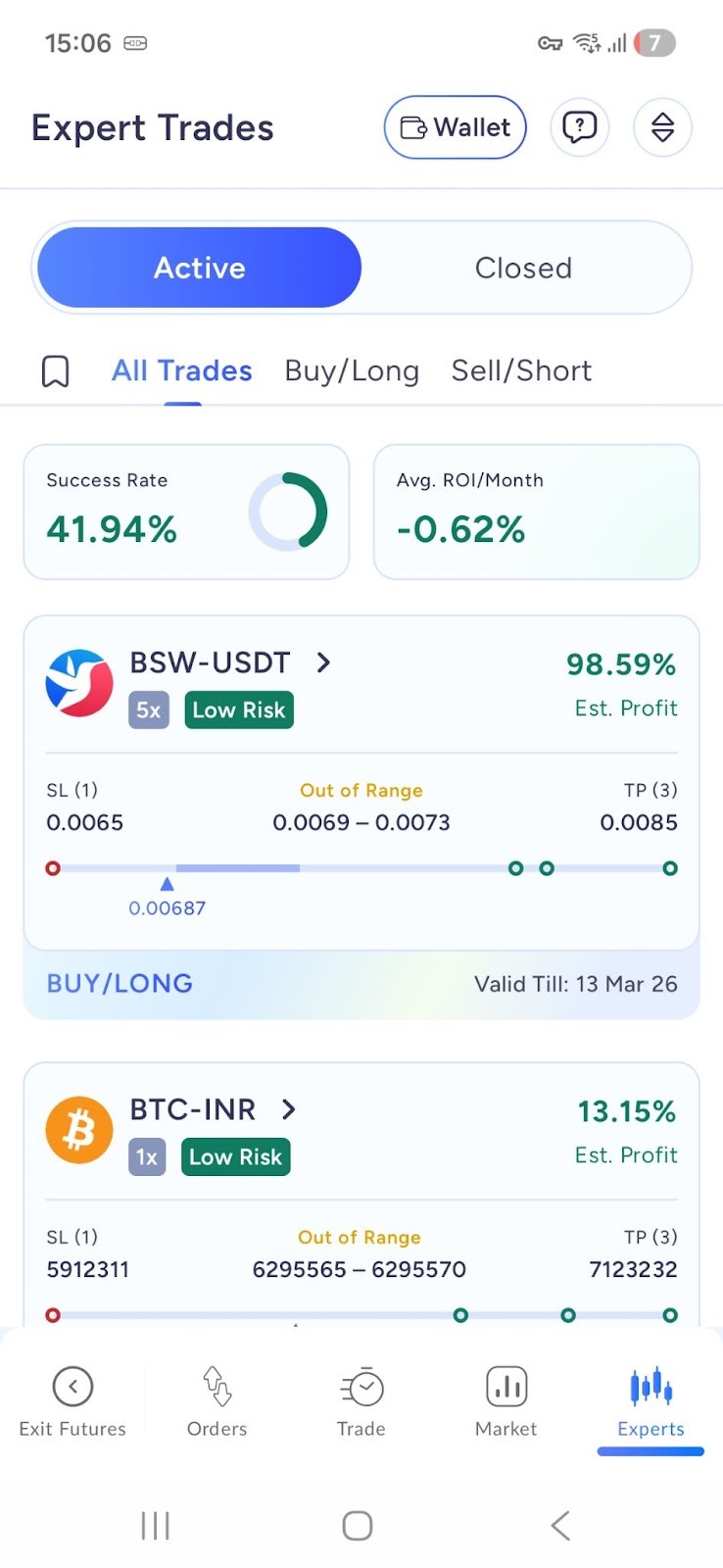
Active vs Closed Trades
Active Trades
A trade remains active if:
It is within its validity period
The final Take Profit or Stop Loss has not been reached
It has not been manually closed
Even if a partial TP or SL is hit, the trade remains active.
Closed Trades
A trade moves to Closed when:
Final Take Profit is hit
Final Stop Loss is hit
Trade validity expires
Trade is manually closed
Understanding Trade Details
Each Expert Trade includes:
Trading Pair
Example: BTC-USDT
Direction
Long: Expecting price to rise
Short: Expecting price to fall
Entry Range
The price range where the trade is recommended.
Example:
Entry Range: 100 – 120
Leverage
Suggested leverage for the trade.
Validity
The time until which the trade remains active.
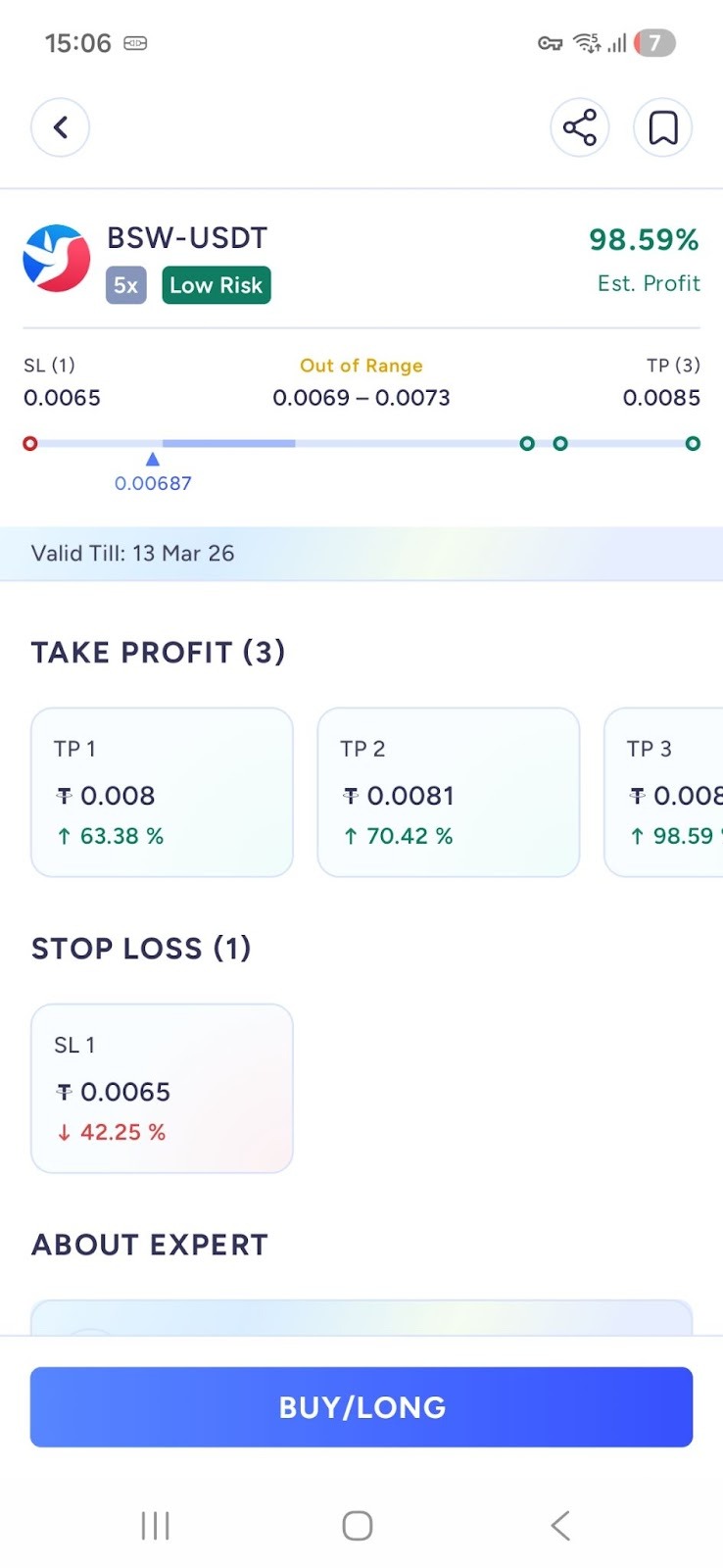
Take Profit & Stop Loss
Take Profit (TP)
Price levels where profits may be booked.
Multiple TP levels may be available (TP1, TP2)
Stop Loss (SL)
Price levels to limit potential losses.
Multiple SL levels may be available (SL1, SL2)
Trade Status & Badges
You may see the following indicators:
Active
New (added in last 24 hours)
In Entry Range
Take Profit Hit
Stop Loss Hit
Expired
Closed
Risk Levels
Low Risk
Medium Risk
High Risk
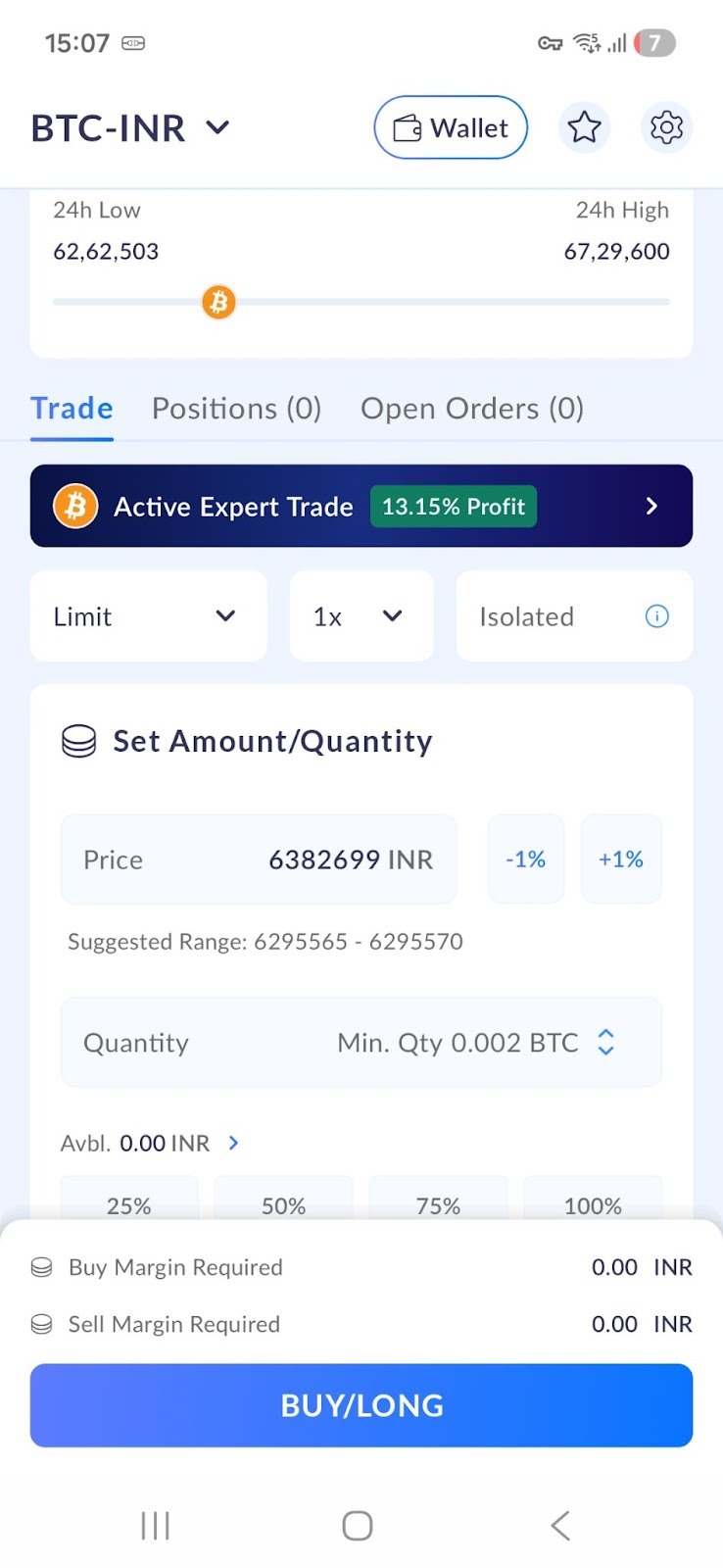
Executing an Expert Trade
Tap on Trade
You will be redirected to the Futures screen
Suggested leverage may be pre-selected
Review and place your order
You remain fully in control before executing any trade.
Bookmarking Trades
Tap the bookmark icon to save a trade
Access saved trades anytime
Get updates when bookmarked trades hit TP or SL
Sharing Trades
You can share trade details using the Share option available on each trade.
Important Notes
Expert Trades are not financial advice
Always review trade details carefully
Futures trading involves high risk
Use proper risk management and leverage wisely
Frequently Asked Questions (FAQs)
1. What are Expert Trades?
Expert Trades are curated futures trading recommendations available on the ZebPay platform. Each trade includes predefined parameters such as entry range, direction (Long or Short), suggested leverage, Take Profit (TP) and Stop Loss (SL) levels, along with expert-led technical analysis to support informed decision-making.
2. Where can I access Expert Trades on ZebPay?
Expert Trades are available in the Perpetual Futures section of the ZebPay app. Users can explore both Long and Short trade setups and execute them directly through the Futures trading interface.
3. How can I track the status of an Expert Trade?
Each Expert Trade is fully trackable and clearly labelled using status badges such as New, In Entry Range, Active, TP Partial Hit, Final TP Hit, Final SL Hit, Expired, or Closed. This helps users monitor a trade’s progress throughout its lifecycle.
4. How are profit expectations shown for Expert Trades?
The expected profit percentage displayed on the trade card is calculated using the average entry price and the highest configured Take Profit level. Additional partial TP and SL details are available within the trade view for progress tracking and informational purposes.
5. Are Expert Trades guaranteed to be profitable?
No. Expert Trades are informational only and do not guarantee profits. Crypto futures trading involves risk, and outcomes depend on market conditions.
6. Can I customize or manage Expert Trades before executing them?
Yes. Users can bookmark Expert Trades, share them, and apply filters based on trading pair, leverage, or direction. When executing a trade, users are redirected to the Futures page, where the suggested leverage is preselected if there is no existing futures position.
Was this article helpful?
That’s Great!
Thank you for your feedback
Sorry! We couldn't be helpful
Thank you for your feedback
Feedback sent
We appreciate your effort and will try to fix the article